Where the workflow breaks down.
A balance check is a small task, but repeating it through a browser dashboard creates friction. It becomes harder to spot changes in spend, model mix or key health while staying inside the development workflow.
Check OpenRouter usage, spend and model activity without breaking focus to visit a browser dashboard.
Built for Developers, AI power users and small teams using OpenRouter for coding agents, prototypes or production workflows.
A balance check is a small task, but repeating it through a browser dashboard creates friction. It becomes harder to spot changes in spend, model mix or key health while staying inside the development workflow.
OpenRouter Menu began as a quick account-balance view in the macOS menu bar. The useful questions soon expanded beyond one number, so the utility developed into three focused views: Overview for account health, Models for usage mix and Activity for spend over time.
Overview combines the current balance with recent usage and budget context in a compact native panel.
Models adds request, token, cost and share breakdowns when the saved key can access OpenRouter analytics.
Activity brings together a 30-day spend trend, BYOK split and credit burn-down so a change is visible before it becomes a surprise.
Each decision is there to make the product clearer, more dependable or easier to own.
The utility stays one click away and avoids turning a quick operational check into a context switch.
API keys are validated before storage and kept in Apple Keychain rather than the app's local settings file.
A standard key can still show key-level usage; management-only views explain missing access instead of making the whole app fail.
Non-secret settings and usage snapshots are cached on the Mac, and exported state deliberately excludes the Keychain value.
Use the tabs to move through the product. Each screen shows a different part of the working loop.
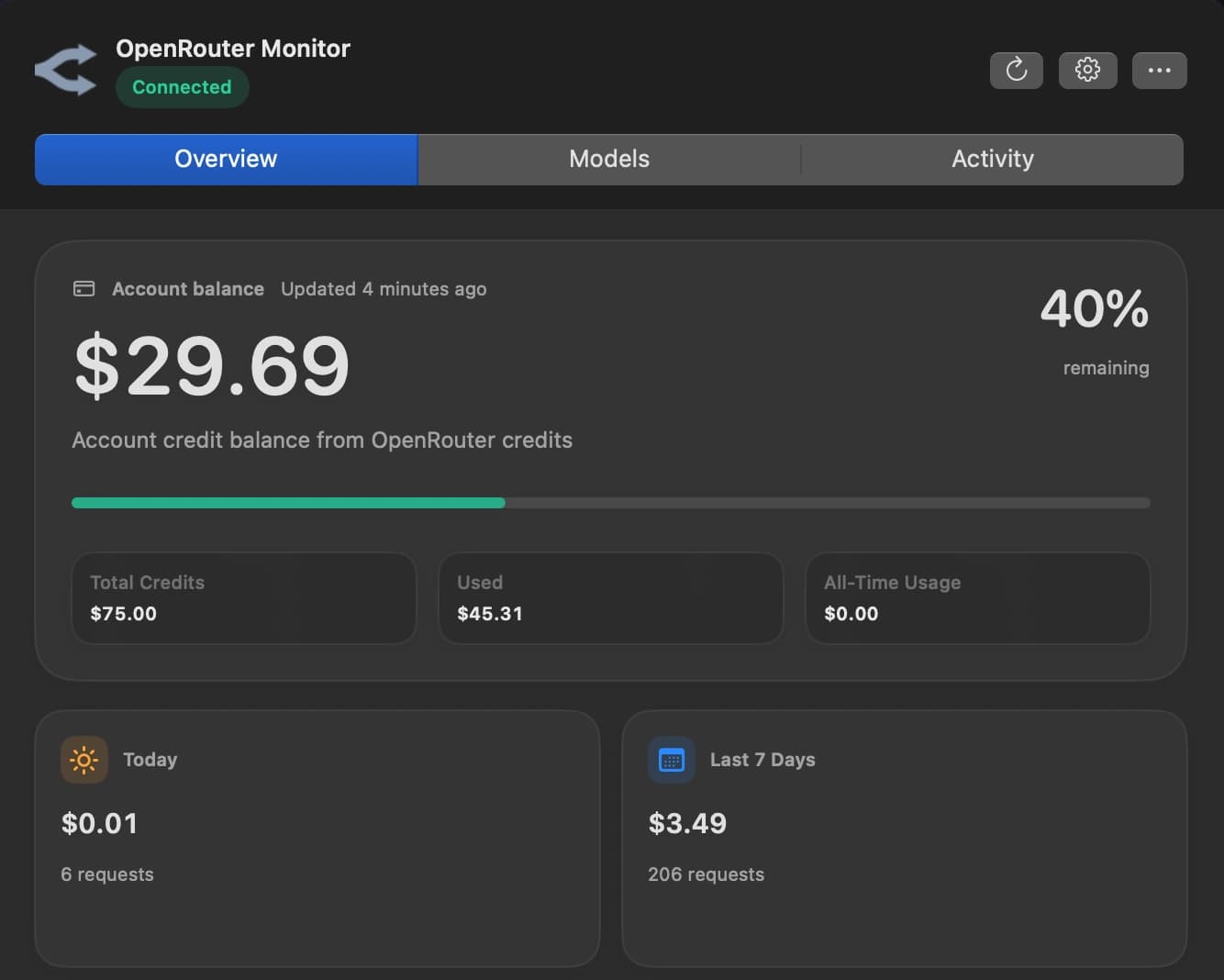
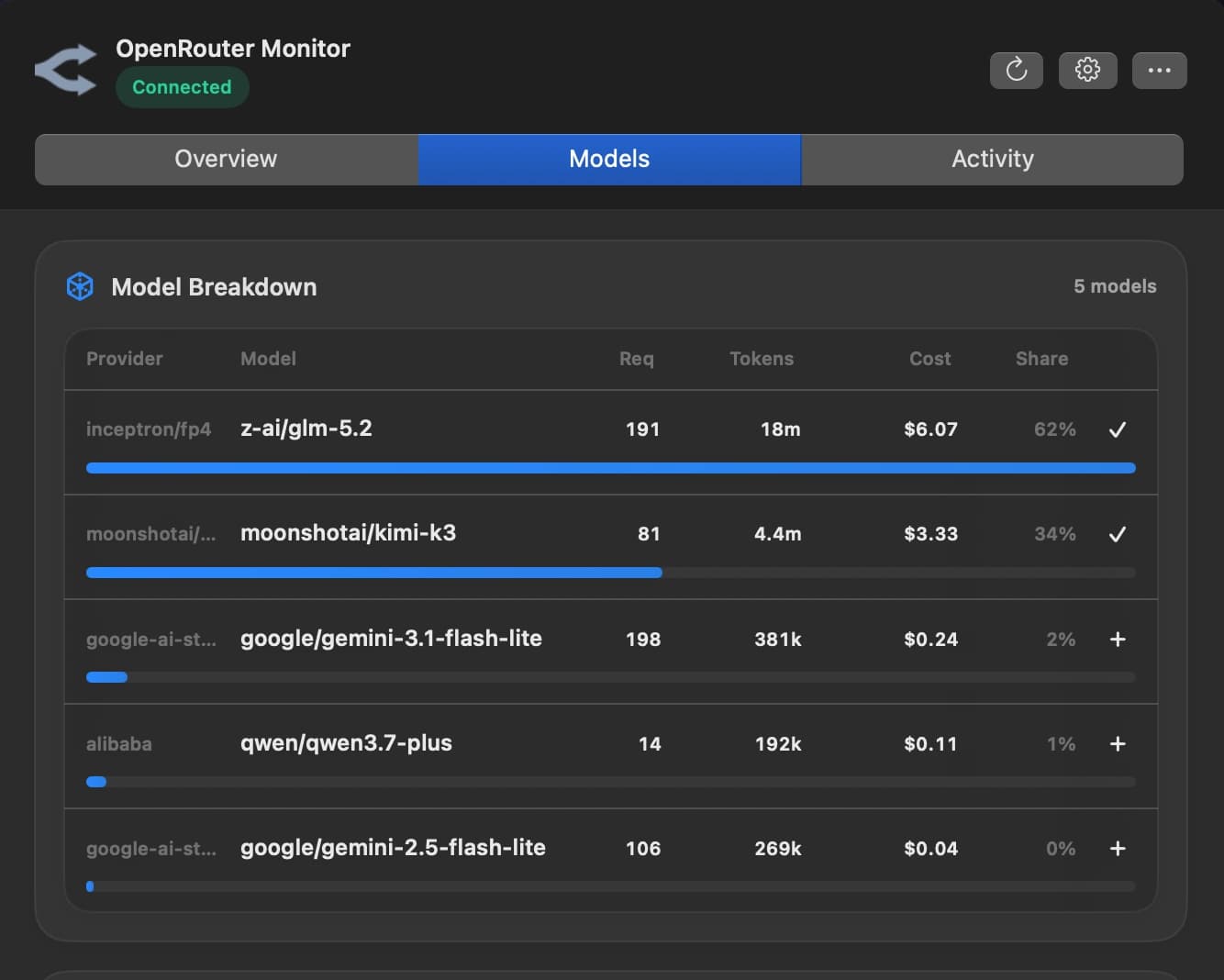
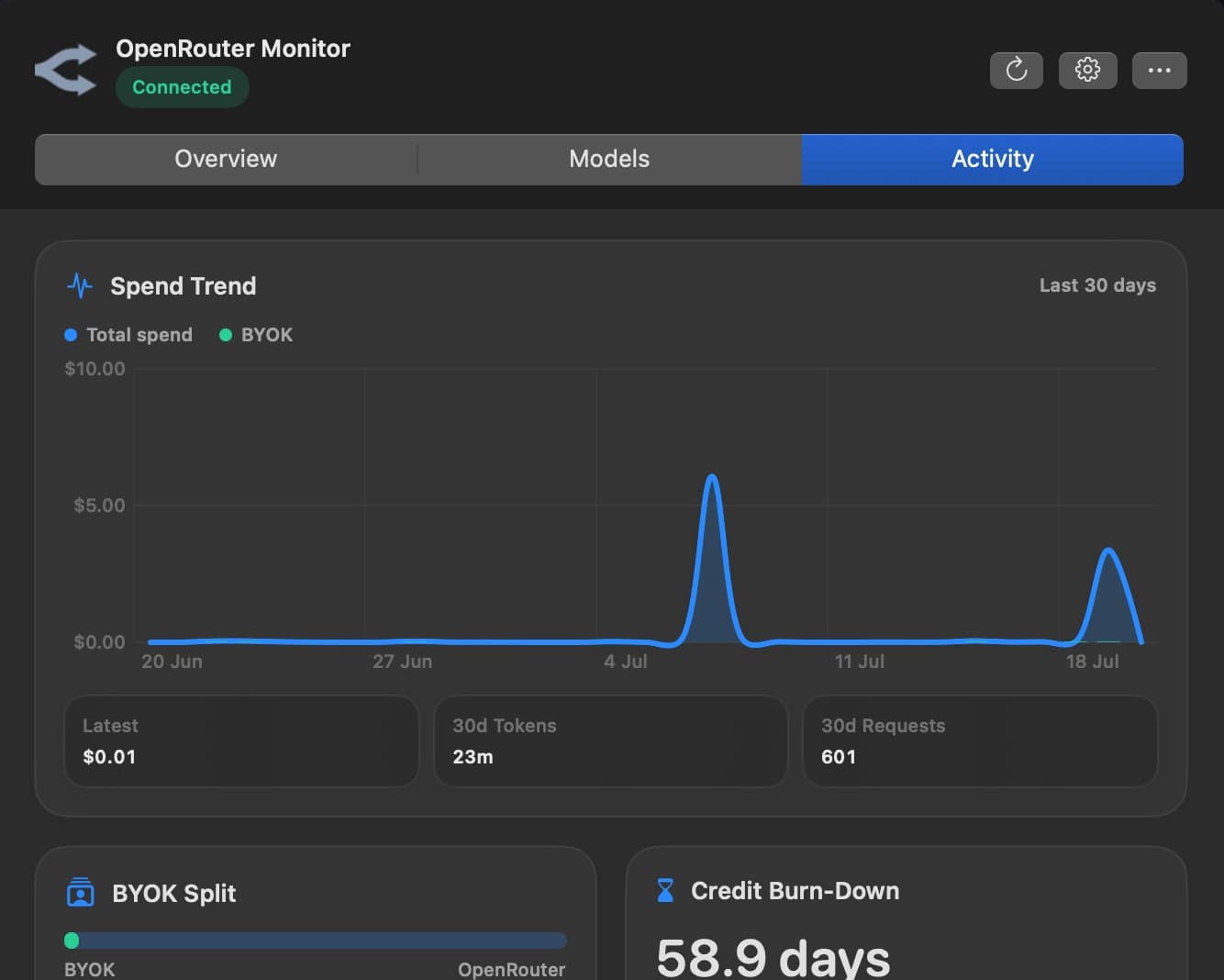
Overview. See the balance, remaining allowance and recent usage in one quick menu-bar check.
The implementation comes after the customer story, but it matters wherever trust, portability or reliability are part of the experience.
The repository contains a native SwiftUI menu bar application, a separate core module and Swift Package Manager build targets.
Key-level usage uses the standard key endpoint, while credits, activity and per-key analytics are added when management access is available.
Management endpoint failures fall back to the available key-level data and surface a partial state rather than discarding a valid refresh.
The source includes checks for response decoding, calculations, mocked refresh paths, error mapping and activity aggregation.
The source is available on GitHub and requires macOS 14 or newer. Local app and DMG packaging are supported, but the current development build is ad-hoc signed and not notarised for general distribution.