The problem
Small tasks such as finding a copied link, sharing a file or checking a coding session can pull you away from the app you’re using.
Available for macOS 26 or later, with a free three-day trial. The product website includes feature guides, an interactive demo, downloads and one-time licence purchases.
I designed and launched a native Mac utility and its product website. MicroNotch brings everyday tools, local dictation and AI coding sessions into a compact panel at the top of the screen.
Small tasks such as finding a copied link, sharing a file or checking a coding session can pull you away from the app you’re using.
I brought everyday tools into a native notch panel, with local dictation and a separate Code mode. I designed the website to explain the tools and let visitors try a browser demonstration.
MicroNotch 1.0.3 and micronotch.app are live, with a trial download, product guides and one-time licensing.
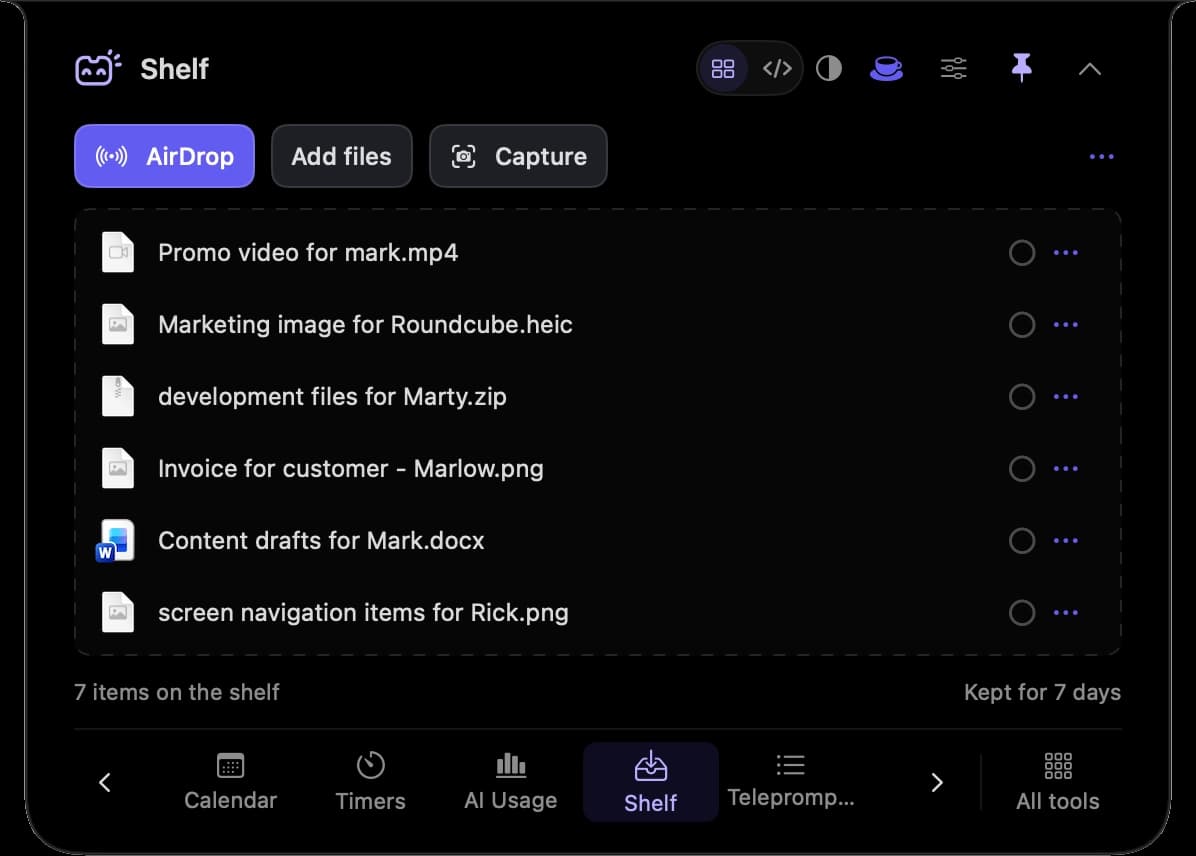
I built MicroNotch to keep frequently used tools close to the workspace: clipboard history, a file shelf, quick notes, timers and music controls.
I also designed and launched micronotch.app, with product explanations, native app screenshots and a browser demonstration visitors can explore before downloading.
Notes, file copies and optional clipboard history stay on the Mac. MicroVoice transcribes on-device; connected tools identify the permissions or accounts they need.
Everyday mode provides quick access to tools. Code mode focuses on active sessions, pending requests and completed work.
I built a browser demonstration alongside native screenshots and tool guides, then connected the website to trial downloads and one-time licence purchases.
SwiftUI and AppKit provide a compact panel with a file shelf, clipboard history, notes, timers, music and other tools. Display selection, appearance and shortcuts adapt it to the user’s Mac.
MicroVoice uses a downloaded local model for English dictation. Code mode follows supported coding sessions; version 1.0.3 adds direct replies to Codex desktop questions.
I designed and built micronotch.app in Next.js, with an interactive demo, feature pages, setup guidance and release notes. Dodo Payments handles hosted checkout, with Vercel and Neon supporting licensing.
Version 1.0.3 is available for macOS 26 or later, with a free three-day trial and a one-time licence for two Macs.
Visitors can explore the tools, try the browser demonstration, download the app and find setup, support and privacy information at micronotch.app.